Picks up your side from BUSY
Choose the party and period from the open BUSY company; your ledger is read directly. No export needed.
Home › Products › BharatDarpan
New · v1.0आपका खाता और पार्टी का खाता: आमने-सामने, हर फ़र्क़ साफ़
The party says one balance, your BUSY says another? BharatDarpan puts your ledger and the party's statement side by side, matches bill by bill, and shows every difference with a reason and a suggested action.
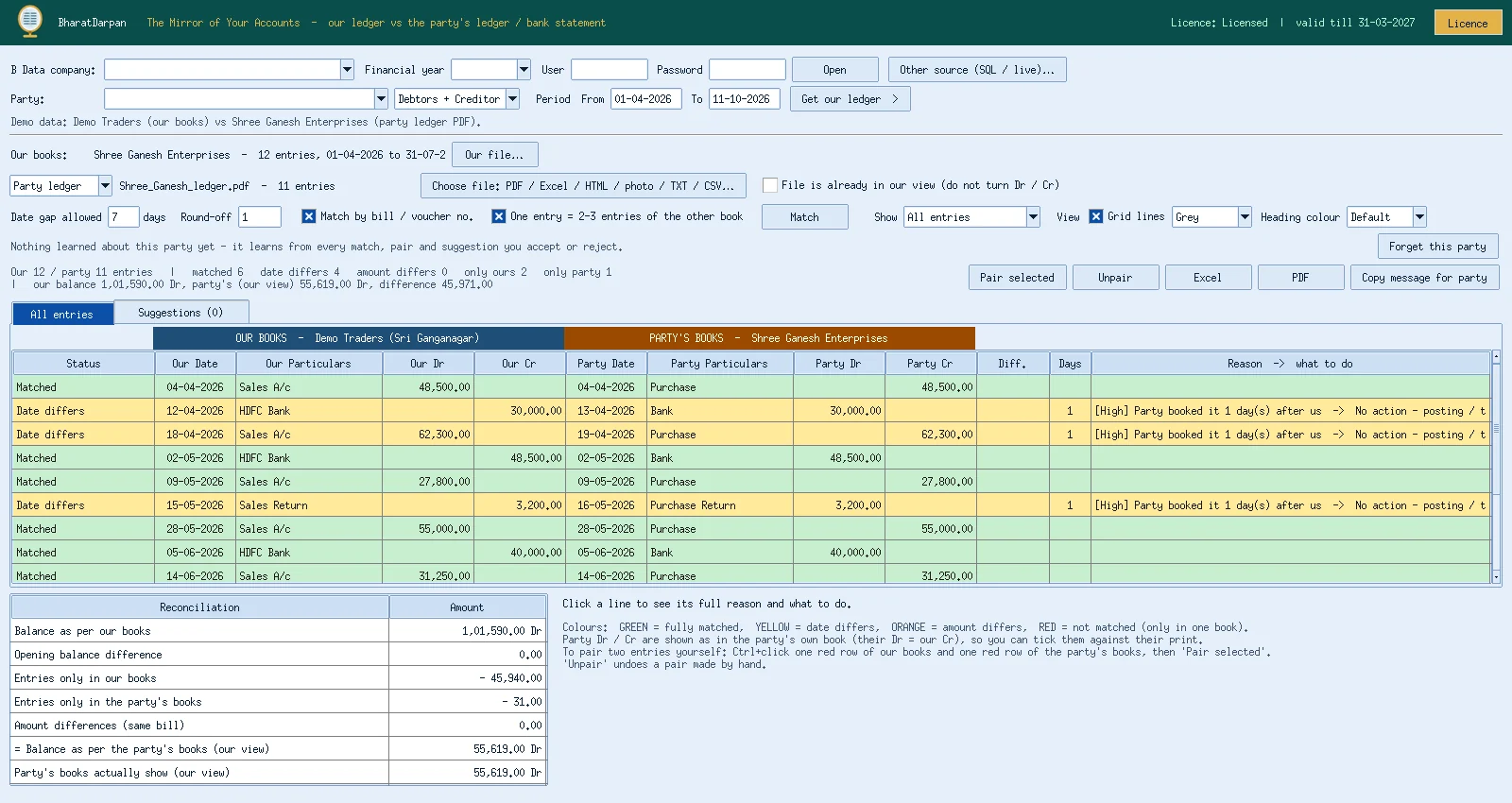
Choose the party and period from the open BUSY company; your ledger is read directly. No export needed.
PDF, a photo of a printed ledger (JPG), Excel, CSV, TXT or HTML. Password-protected files are opened when you choose them.
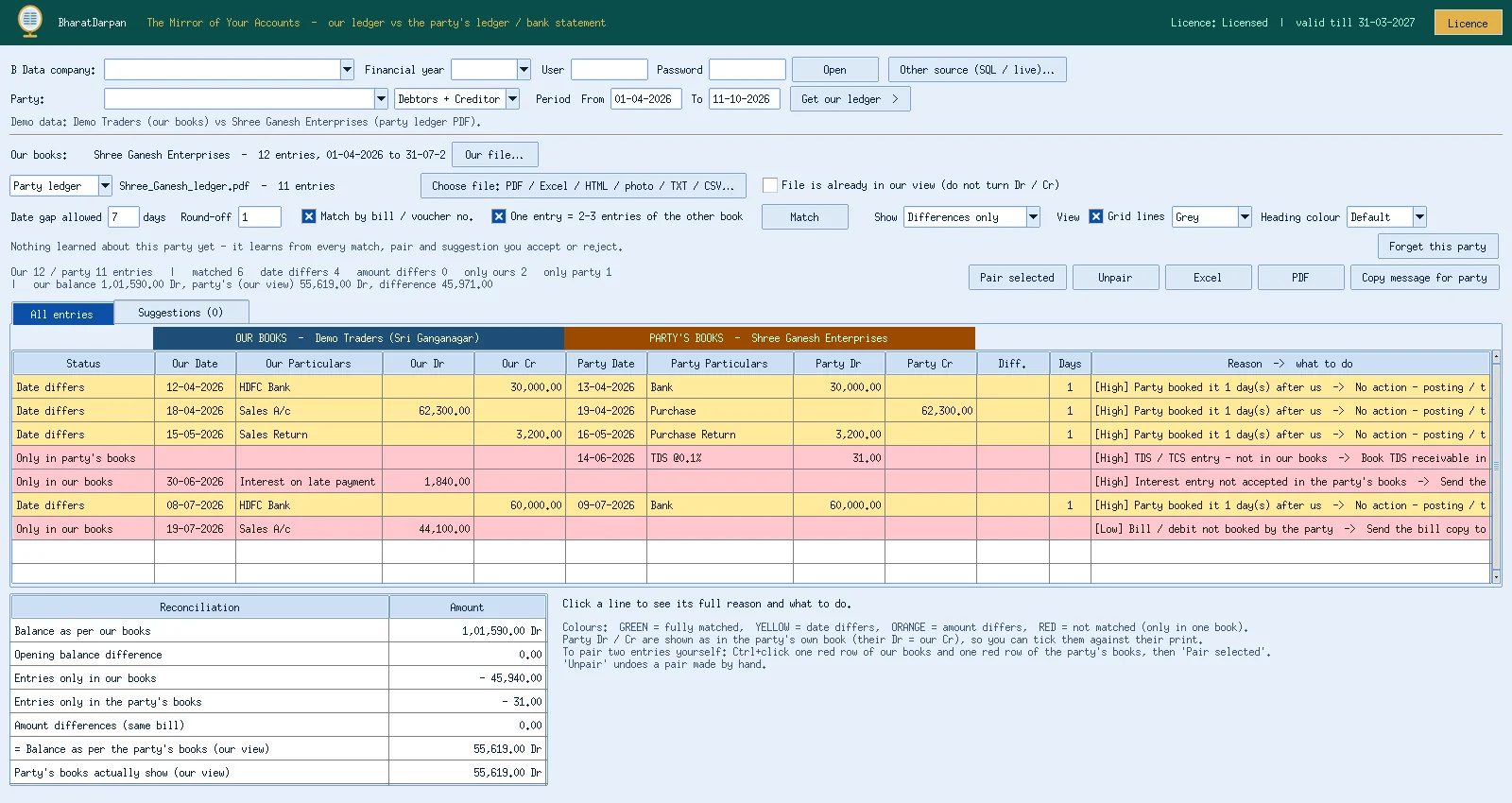
Smart matching on bill numbers, cheque references, dates and amounts. Green = matched, yellow = date differs, red = not matched.
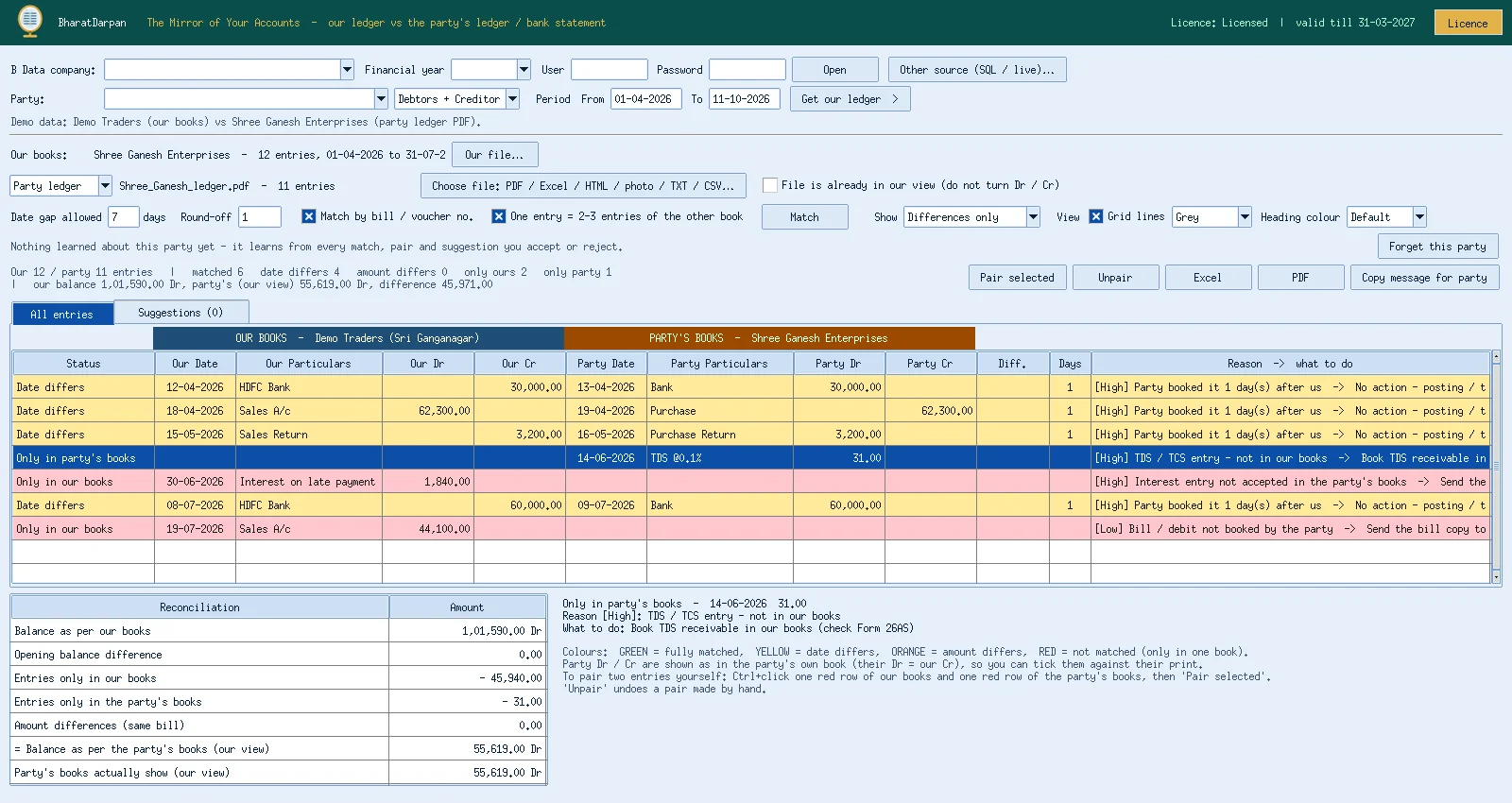
Each difference comes with the likely reason (missing bill, double entry, wrong amount, timing) and a suggested action. Accept or reject each suggestion.
Remembers how each party writes bill numbers and narrations, so the next match is faster and more accurate.
Warns if the party name in the file does not match the party open in BUSY, and lets you continue only if you confirm it is the same party.
Reconcile your bank ledger in BUSY with the bank statement in the same way.
No splash or licence window at start; the licence is checked quietly in the background.
Add-Ons menu; the current company is used.
Your ledger is read straight from BUSY.
PDF, photo, Excel, CSV or TXT they sent you.
Accept suggestions, export the reconciliation, send it to the party.
Click a picture to enlarge.
Want to see BharatDarpan now? We will show you a live demo on your own data over AnyDesk or a video call.
A PDF, a photo of a printed ledger, Excel, CSV, TXT or HTML file. Password-protected PDFs are opened when you choose them.
No. BharatDarpan only reads your ledger and prepares the comparison; you decide what to correct in BUSY.
Version 1 works with BUSY. A combined release with BharatLaxmi is planned.
Order online, confirm the price on WhatsApp and pay by UPI. Setup and training help included.