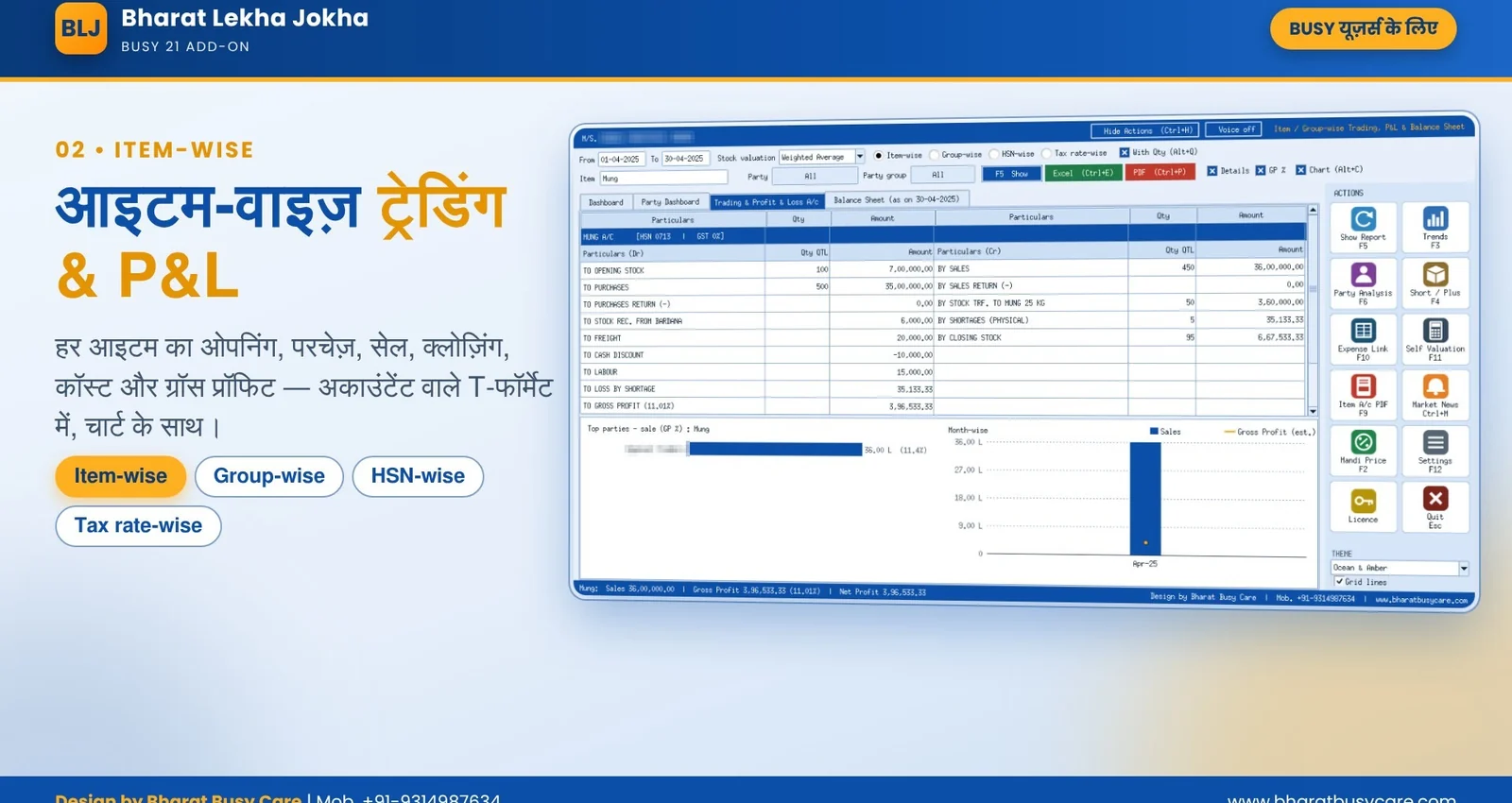
Item Trading A/c, like your accountant's
Opening, purchase, purchase return, sales, sales return, stock transfers, shortage / excess and closing stock with quantity and amount on both sides, ending in gross profit.
Home › Products › Bharat Lekha Jokha
NEW New setup uploaded · Ready to download · v4.0आइटम, टैक्स और HSN-वार ट्रेडिंग, लाभ-हानि और बैलेंस शीट
Know which item, item group, HSN and tax rate actually makes money. A full Trading A/c for every item, Profit & Loss and Balance Sheet, valued the way your BUSY company values stock, opened straight from BUSY.
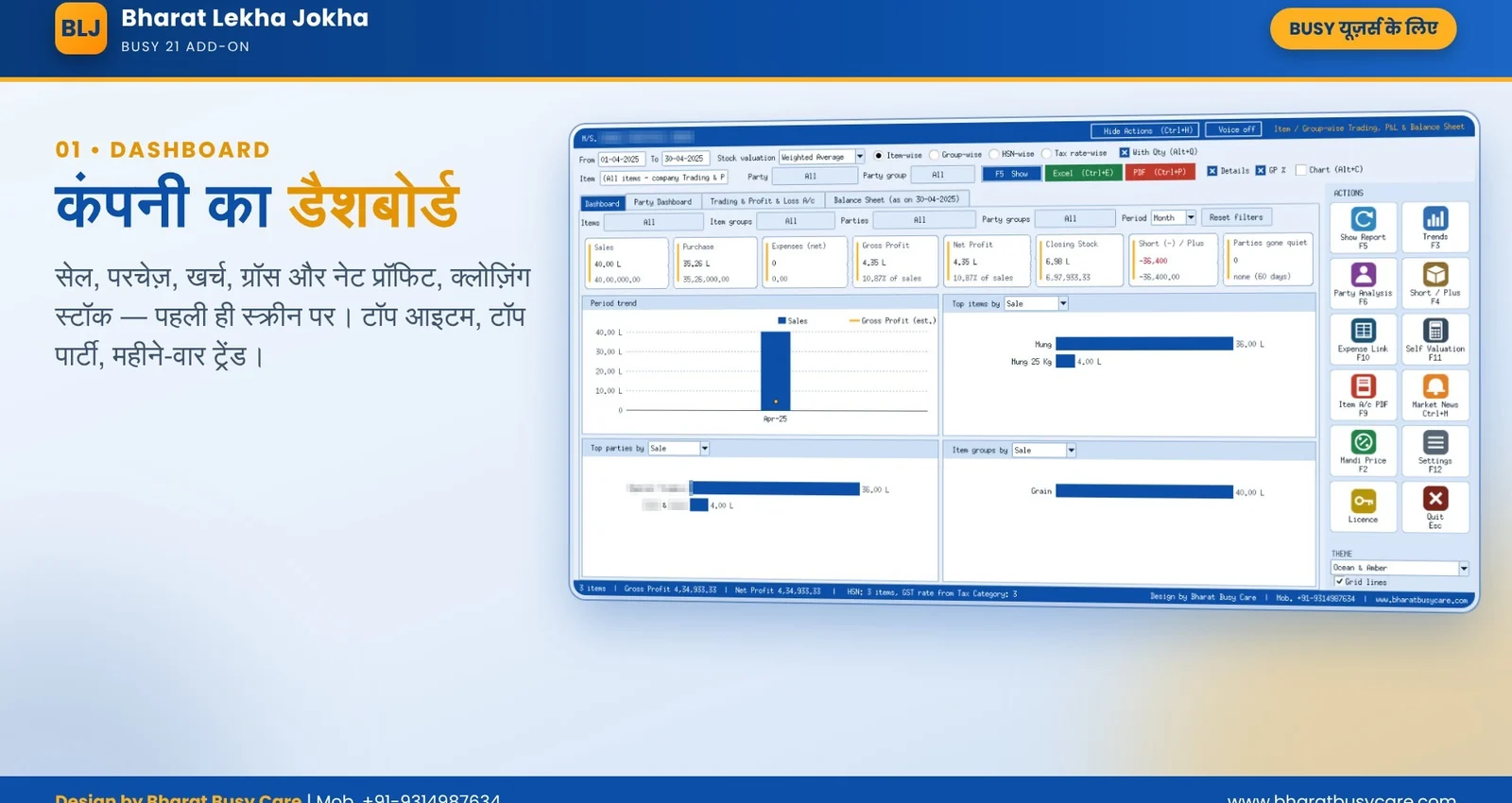
Opening, purchase, purchase return, sales, sales return, stock transfers, shortage / excess and closing stock with quantity and amount on both sides, ending in gross profit.
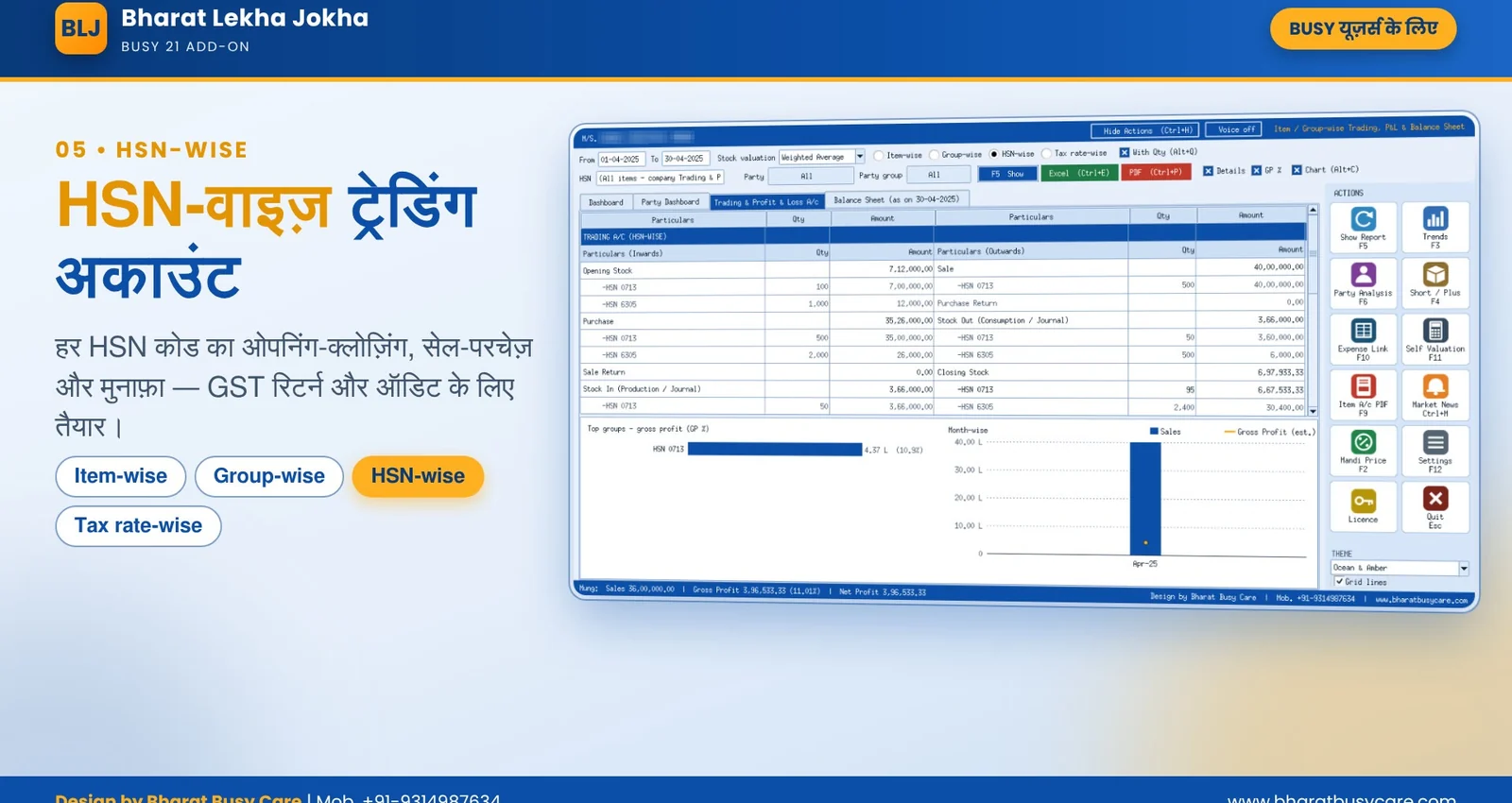
Roll the same report up by item group, HSN code or GST rate. Each view with or without quantity, one key to switch.
Trading A/c with item or group-wise gross profit, Profit & Loss starting from it, and the Balance Sheet as on the To date.
Bill sundries of each bill are shared over its items; expense ledgers named after an item are charged to that item, so net profit is real.
Closing stock valued the way your BUSY company is set: weighted average, FIFO or last purchase.
Opens on a company dashboard: sales, purchase, expenses, profit, top items and parties, with item / group / party filters by month or year.
Period trends with charts and smart suggestions, and a short / excess stock check.
Item accounts, Trading & P&L and Balance Sheet in PDF with your company header, and Excel for your CA.
A hidden logic and audit report for the owner shows how every figure is built, with formulas you can check by hand.
Start it from BUSY's Add-Ons menu: the open company and year are used. No company selection, no login.
Illustrative figures to show the layout; your report uses your company data.
Close BUSY and run the setup: it adds Bharat Lekha Jokha to BUSY's Add-Ons menu by itself.
Add-Ons menu; the open company and year are used.
Name, mobile, e-mail, city: your Subscription ID and trial start at once.
Item, group, HSN or tax rate; with or without quantity; PDF or Excel.
Click a picture to enlarge.
Bharat Lekha Jokha - promo video (Hindi) (46 s)
Features, screens and how it works, ready to print or forward to your accountant on WhatsApp.
If Windows shows "Windows protected your PC", click More info → Run anyway. This appears for new publishers. Setup builds are refreshed regularly: always download the latest from this website.
No. Bharat Lekha Jokha only reads the company data and prepares reports.
Yes, both Access (.bds) and SQL Server BUSY companies. Access data needs the free Microsoft Access Database Engine 2016 (x64); SQL data needs Microsoft ODBC Driver 17 (x64).
BUSY 21 on Windows 10 / 11 (64-bit). It runs only from BUSY's Add-Ons menu, never as a separate program.
Online through our licence server: register once from the add-on, get your Subscription ID, and the PC checks in at least once every 7 days.
It gives an item-focused Balance Sheet for management. The Trial-Balance-style Balance Sheet for CA submission is our separate Customised Balance Sheet Tool, coming soon.
Bharat Lekha Jokha is made and sold directly by Bharat Busy Care, BUSY partner in Sri Ganganagar with branches in Jaipur and Abohar. We install it remotely in every city of Rajasthan, Punjab and Haryana (Jaipur, Jodhpur, Bikaner, Ludhiana, Bathinda, Abohar, Hisar, Sirsa and more) and train your staff in Hindi. It is one of our BUSY add-ons: see all BUSY add-ons on bharatbusycare.com/busy-add-ons/.
Order online, confirm the price on WhatsApp and pay by UPI. Setup and training help included.